

Modern phishing scams aren’t your grandma’s Nigerian prince emails anymore. These digital con artists have upped their game, using slick corporate logos and psychological manipulation to steal identities, drain bank accounts, and wreak havoc. They’re flooding inboxes with urgent messages about suspended accounts or tempting prizes – and yeah, people still fall for it. Multi-factor authentication and healthy skepticism are your best mates, but there’s a lot more to staying ahead of these crafty bastards.
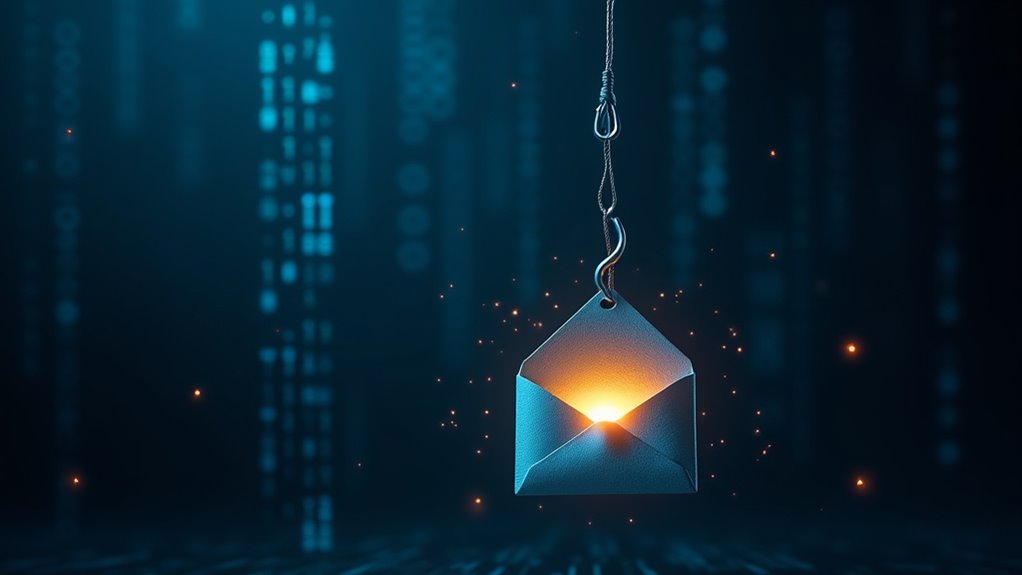
Cybercriminals are relentlessly flooding inboxes worldwide with phishing emails, and they’re getting craftier by the day. These digital con artists have turned email fraud into an art form, masquerading as legitimate companies, trusted mates, and even your boss. Their goal? Nicking your sensitive data, passwords, and cold hard cash while you’re none the wiser.
Let’s be real – these scammers aren’t mucking about with amateur hour tactics anymore. They’re deploying sophisticated psychological warfare, playing on our fears, greed, and that annoying human tendency to panic when someone mentions “urgent account suspension.” They’re proper clever, using official-looking logos, convincing language, and sender addresses that could fool even the most eagle-eyed observer (hello, @arnaz0n.com). With hundreds of billions of emails sent daily, it’s becoming increasingly difficult to spot the fraudulent ones from the legitimate ones. Cyber security is vital to protect yourself from these threats, and knowing how to report cyber abuse effectively can help you take action if you fall victim. In light of recent events, the lessons from the Medibank data breach highlight the importance of robust security protocols to prevent such attacks. If you’ve been scammed, it’s crucial to freeze your accounts immediately to minimize potential damage. Recent studies show that the biggest cyberattacks often exploit vulnerabilities similar to those used in phishing schemes.
Modern phishing scams are masterclasses in psychological manipulation, exploiting our deepest fears and cognitive blind spots with frightening precision.

The consequences of taking the bait are brutal. Once these fraudsters get their hands on your details, it’s game over. Identity theft, drained bank accounts, and malware infections are just the entree. The main course? Watching helplessly as these ratbags use your compromised account to target everyone in your contact list. Social engineering tactics prey on your emotions to manipulate you into making costly mistakes. It’s a digital domino effect that can destroy reputations faster than a politician’s career during a scandal.
These days, phishing comes in more flavours than a fancy ice cream shop. There’s standard email phishing, smishing (SMS phishing for the uninitiated), vishing (voice phishing), and the latest trendy nightmare – quishing, where dodgy QR codes lead you straight to digital doom. They’re all designed to do one thing: make you act before you think. “Your account will be terminated!” “Claim your $500 refund now!” “Legal action pending!” Yeah, right.
The warning signs are there if you’re bothered to look. Weird sender addresses, dodgy links that don’t match the supposed company, and attachments you weren’t expecting are red flags waving right in your face. But here’s the kicker – most people are too busy, too distracted, or too confident in their own tech-savviness to notice. That’s exactly what these digital pickpockets are counting on.

Protection isn’t rocket science, but it does require more effort than just crossing your fingers and hoping for the best. Hover over those links before clicking. Check sender addresses properly. And for Pete’s sake, stop sending your password to every random email that asks for it. Multi-factor authentication isn’t just a fancy buzzword – it’s your digital bouncer, keeping the riffraff out of your accounts.
The truth is, phishing isn’t going anywhere. These scams work because humans are, well, human. We make mistakes, we get distracted, and sometimes we’re just too lazy to double-check things. But knowing what to look for? That’s half the battle won. The other half is actually giving a damn about your digital security.
Frequently Asked Questions
Can Phishing Emails Infect My Computer Even if I Don’t Click Links?
Just opening a dodgy email won’t usually infect your computer. Modern email systems aren’t that fragile, mate.
But there’s a catch – if your computer’s running ancient software or skipping updates, you’re playing with fire. Those sneaky trackers can ping back to show you’ve opened it, and some fancy malware might exploit vulnerabilities.

Bottom line? Opening’s generally safe, but clicking links or downloading attachments? That’s where the real trouble starts.
How Do I Recover My Information if I’ve Fallen for Phishing?
When someone’s fallen for phishing, they’re not totally stuffed.
First priority: disconnect compromised devices and change passwords – like, immediately.

Document everything about the attack (emails, dodgy links, timeline).
Contact banks and put fraud alerts on credit.
Run proper malware scans to kill any nasties.

Most importantly, report it to relevant authorities – they mightn’t catch the scammer, but it helps prevent future attacks.
Keep monitoring accounts for weird activity.
Should I Report Phishing Attempts to My Workplace IT Department?
Absolutely. Every single phishing attempt should be flagged to IT – no exceptions.
It’s not just about covering your own backside (though that’s important). When employees report dodgy emails, IT can block those threats company-wide and prevent others from falling victim.

Plus, most organisations are legally required to track these incidents. The data helps identify attack patterns and strengthen defences.
Bottom line: reporting sketchy emails isn’t optional, it’s essential for collective security.
Are Mobile Devices More Vulnerable to Phishing Attacks Than Computers?
Look, mobile devices are flat-out more vulnerable to phishing – that’s just facts.
Users are 3x more likely to fall for scams on phones vs computers. The perfect storm really: tiny screens make dodgy URLs harder to spot, people are distracted when mobile, and touchscreens limit proper link inspection.

Plus, there’s more attack routes through SMS and QR codes that bypass traditional security.
Face it – our phones are basically phishing magnets these days.
Do Anti-Virus Programs Protect Against All Types of Phishing Scams?
No way – anti-virus programs aren’t the silver bullet against phishing scams.
Here’s the brutal truth: while they’re brilliant at blocking malware and dodgy downloads, they’re pretty useless against social engineering tricks.

Most phishing attacks don’t even use malicious code – they just prey on human psychology.
Anti-virus might catch some known phishing sites, but it can’t stop someone from willingly typing their password into a fake login page.
That’s why the crims keep winning.